This post is part of the AI design patterns series – I’m sharing new design patterns I’m seeing as AI enables solutions that weren’t possible before.
If you have a prompt-driven experience on your app, it’s important for users to share relevant details within their prompts to help your product deliver the results they need.
As a builder, you might know what a good prompt to use within your app is. But your users may not.
This is why I like what Redrob had done.
Redrob helps you find relevant people to hire based on your requirements – when you write a prompt to search for people, the app surfaces requirements this way:
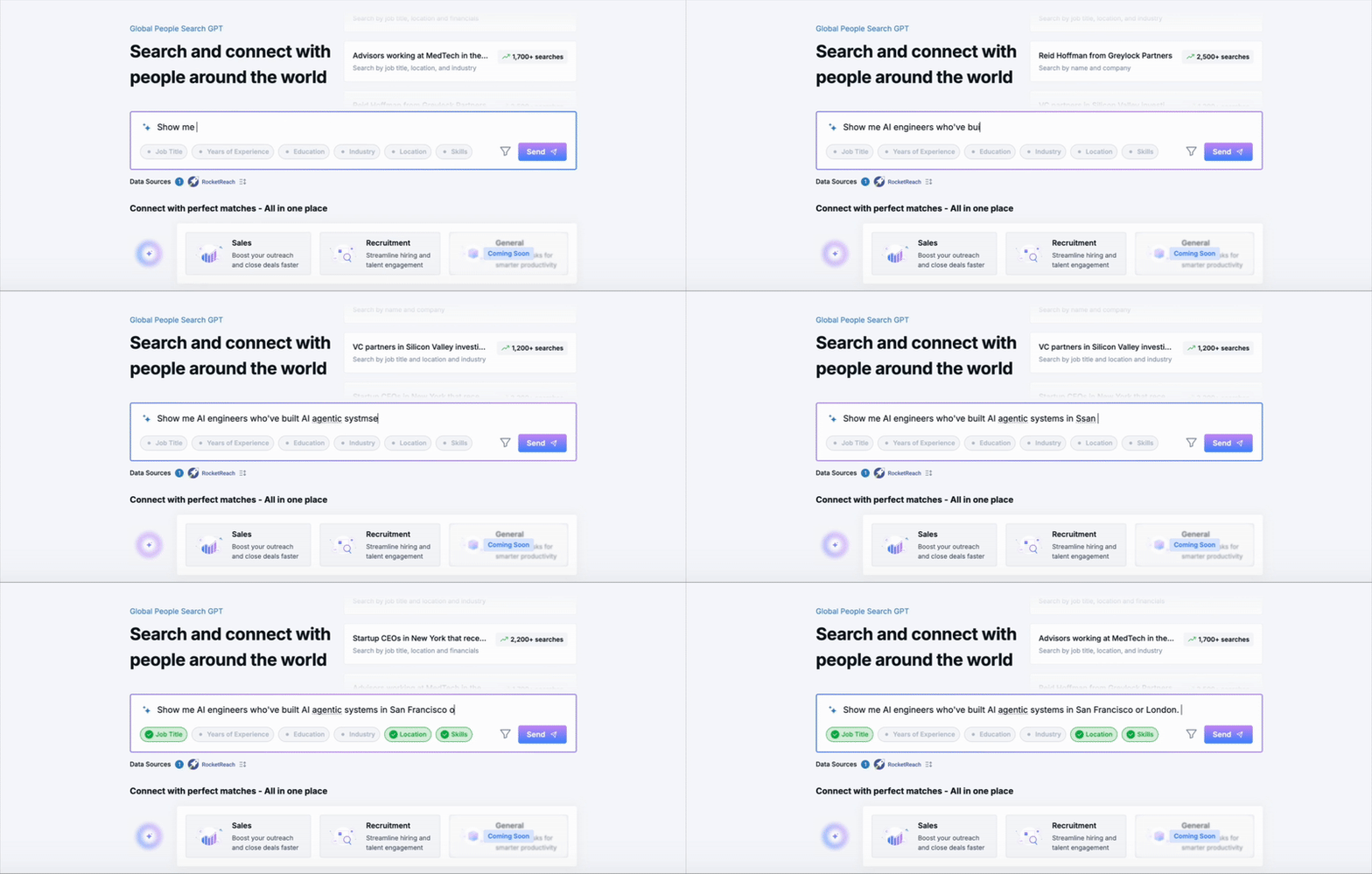
As you can see, the chips turned green as soon as what I typed in satisfied what Redrob expects. This interaction felt quite similar to sign up pages that show password validation expectations upfront and tick them off one by one as the user types out characters.
Redrob could have just shared a list of requirements in plain text below the prompt box – but I felt like users might pay attention to this interactive experience better and write detailed prompts (I did!).
Was Redrob pinging an LLM to see if the prompt satisfied requirements as I typed? I suppose that’s costly, so I guess they might have just used a regex list to check for matches. Still, a good experience.
This post is part of the AI design patterns series – I’m sharing new design patterns I’m seeing as AI enables solutions that weren’t possible before.
 Shankar is thinking